
A situation I take on
Apple requires iPhone Duo screenshots. Let's get your app ready.
An existing iOS app, updated, laid out for the inner display, and shipped with its iPhone Duo screenshots.
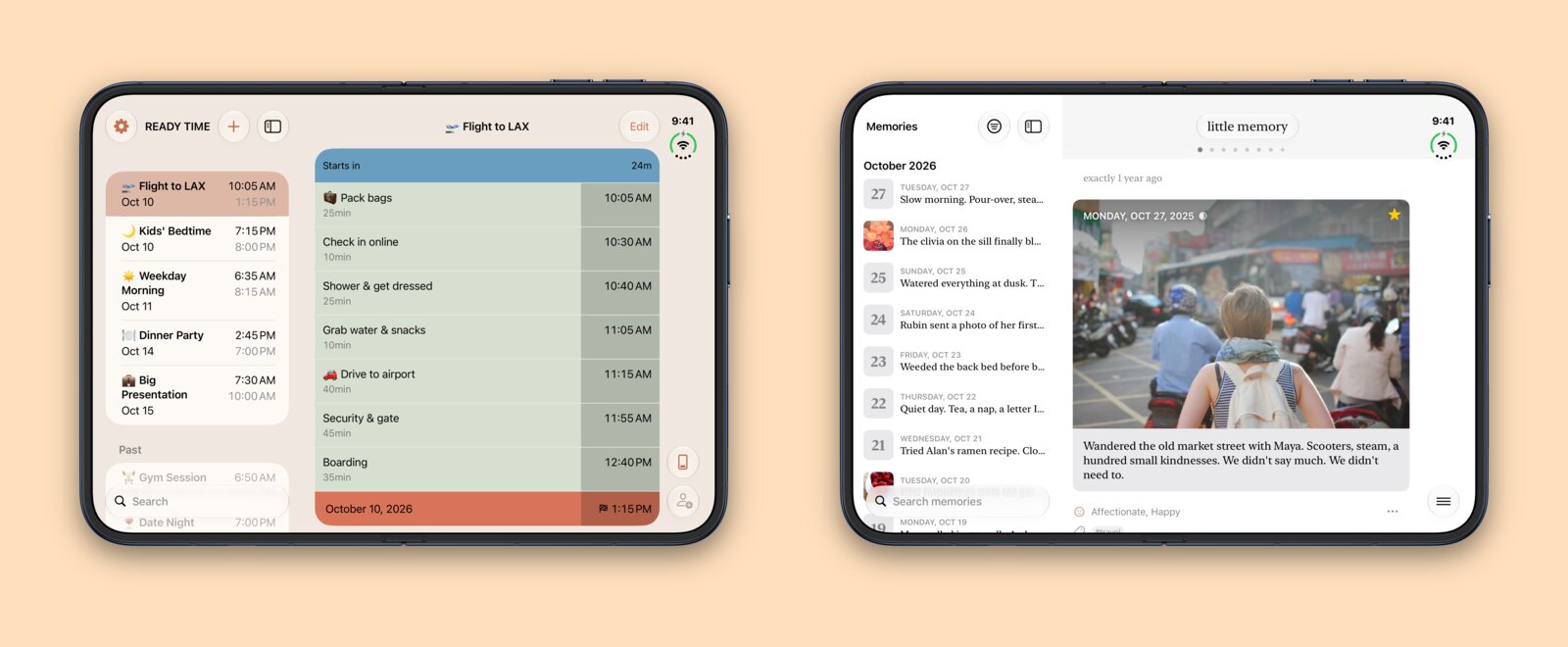
Starting in April 2027, Apple requires iPhone Duo screenshots for apps submitted to the App Store. If your app hasn’t had a submission to the App Store in a while, you probably won’t notice until you submit your next update that you’ll need to support the iPhone Duo now too.
Some common tells that you need your app updated are:
- Your app hasn't had an update in a year or more
- The developer who built it has moved on
- It opens on iPhone Duo as a narrow phone screen with bars on either side
- Layouts break when the screen unfolds
- You're not sure it still builds with the current Xcode
What Duo support covers
People hold iPhone Duo folded shut, open flat, bent partway like a book, or set down standing on its edges (Apple’s design guidelines). Your app needs to work in every one of these poses and keep someone’s place as they fold and unfold it.
How I get it ready
-
Rebuild on the current SDK
I get the app building with the current Xcode and SDK and fix what that breaks. An app built from standard controls often needs little else. NetNewsWire got Duo support from the rebuild alone.
-
Lay it out for the inner display
For custom layouts, I make the outer and inner displays both work. Then I make the iPhone Duo screenshots and ship the update under your account.
Where I’ve done this
I shipped iPhone Duo support in both of Nerd Tower’s apps. Ready Time keeps your plans in a list on the left with the selected plan on the right (Ready Time 3.11). Little Memory does the same for memories and search (Little Memory 2.2).
Also: iOS apps · Web apps · An existing product · Fractional work · All services
Tell me what you're working on
I've got room for a few new projects. Write to me and I'll reply with how I'd approach it. I read every message myself.
hello@nerdtower.com